Subscription & Billing
Plans, prices, checkout, the Stripe Customer Portal, recovery flows, usage limits, and refunds.
Subscription & Billing
Plans, pricing, and how to manage your subscription — from free trial to cancel.
How Subscriptions Work
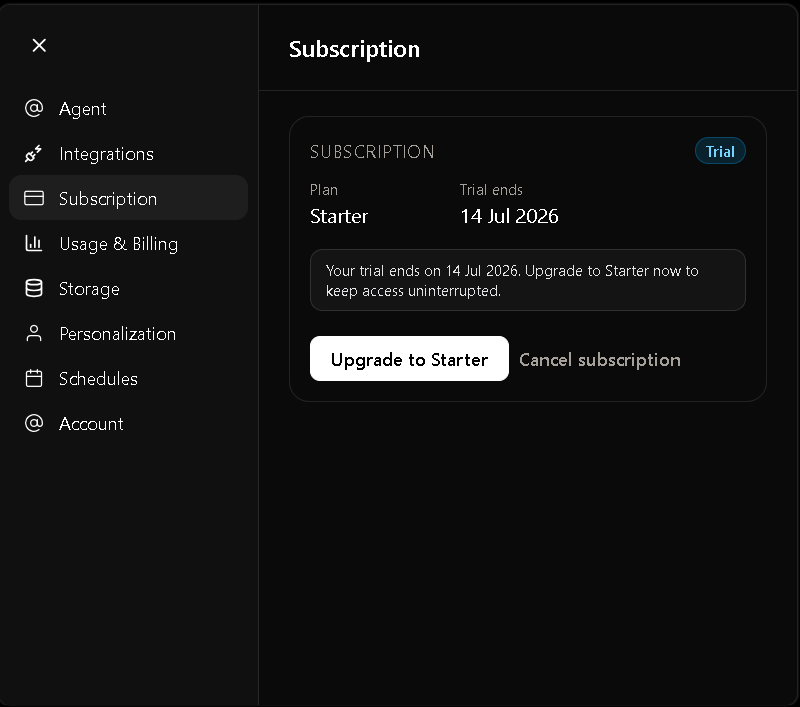
Every new account starts with a 7-day free trial. During your trial you can explore Allorc with limited usage. Upgrade at any time to unlock the full Starter plan.
The flow is simple:
- Sign up → your 7-day free trial begins automatically
- Use Allorc during your trial with the Free Trial limits
- Upgrade to Starter when you're ready — or let the trial expire (no charge)
- Stripe Checkout processes your payment securely
- Starter Plan activates immediately with higher limits and all features
- Monthly renewal continues automatically until you cancel
Plans & Limits
| Free Trial | Starter | |
|---|---|---|
| Duration | 7 days | Monthly |
| Projects | 1 | 5 |
| AI credits / month | 250 | 1,500 |
| Outbound emails / month | 50 | 500 |
| Storage per project | — | 100 MB |
| Models | GPT 5.4 mini | All premium models |
| App integrations | — | ✓ |
| B2B contacts | — | ✓ |
Pricing is localised based on your country — ₹ INR for India, $ USD for the rest of the world.
Start Your Free Trial
When you create your account, your free trial starts automatically.
During the trial you can:
- Create 1 project
- Use 250 AI credits per month
- Send 50 outbound emails
- Try GPT-5.4 mini
No action is required until you decide to upgrade.
💡 Tip — Upgrade before your trial ends to avoid interruptions to your AI worker and automations.
Upgrade to Starter
You can upgrade at any time during your trial.
- Open Settings → Subscription
- Click Upgrade to Starter
- You'll be redirected to Stripe's secure checkout
- Complete payment
- You're returned to Allorc automatically
Once payment succeeds:
- Your trial ends immediately
- Your Starter subscription begins
- Your monthly limits reset
- Premium models and all integrations become available
What Happens When My Trial Ends?
If you don't subscribe before your trial expires:
- Your AI worker stops running
- Projects become read-only
- AI requests are disabled
- Automations pause
- No further charges are made
Your data is kept safely. You can resume at any time by subscribing to Starter.
⚠️ Important — Your data is not deleted when the trial ends. Subscribe again to pick up where you left off.
Manage Billing
After subscribing, manage everything from the Stripe Customer Portal.
Open: Settings → Subscription → Manage Billing
From there you can:
- Update your payment method
- Download invoices
- View billing history
- Cancel your subscription
Monitor Your Usage
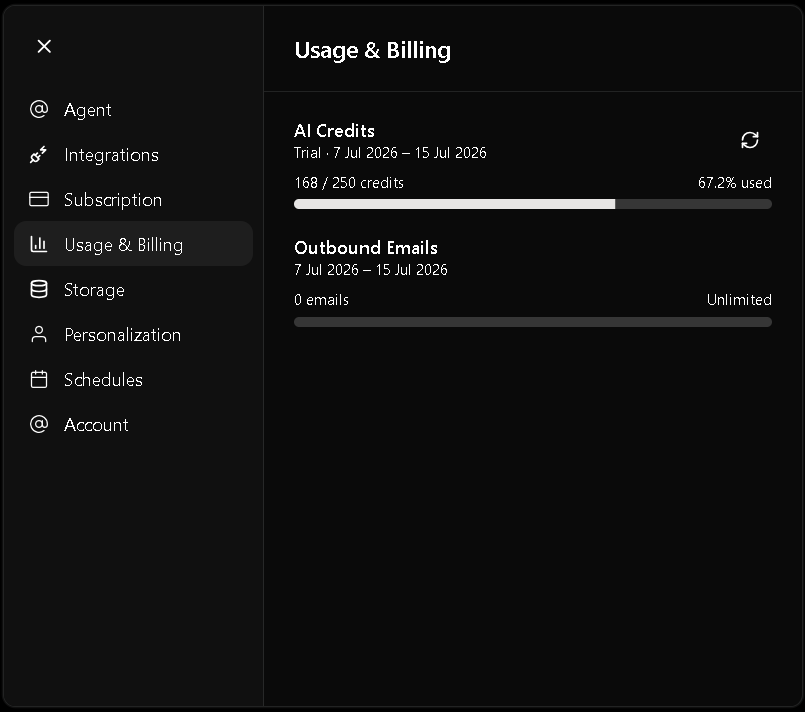
Track your monthly usage in Settings → Usage.
| Metric | What you see |
|---|---|
| AI Credits | Used / total per cycle |
| Emails Sent | Used / total per cycle |
| Storage Used | Per-project breakdown |
| Monthly Reset Date | When limits refresh |
When a limit is reached, the related feature pauses until your monthly reset or until you upgrade your plan.
Cancel Your Subscription
You can cancel at any time.
- Open Settings → Subscription
- Click Manage Billing
- Select Cancel plan
After cancelling:
- Your subscription remains active until the end of the current billing period
- You won't be charged again
- All Starter features remain available until the subscription expires
If you're still on the free trial, cancelling immediately prevents the trial from converting into a paid subscription.
⚠️ Important — Cancelling stops future renewals but does not immediately remove access. You keep Starter benefits until the end of your billing period.
FAQ
Can I upgrade during my trial?
Yes. Upgrade anytime from Settings → Subscription. Your trial converts immediately and the Starter billing cycle starts.
What happens when my trial ends?
Platform access pauses until you subscribe. Your data stays securely stored.
Can I cancel anytime?
Yes. Go to Settings → Subscription → Manage Billing → Cancel plan.
Will I lose my data if I cancel?
No. Your data stays securely stored. You can resubscribe at any time to regain access.
How do I update my card?
Open Settings → Subscription → Manage Billing and update your payment method from the Stripe Customer Portal.
How do I download invoices?
Download option will be available soon.
Do you offer refunds?
Contact samclastine.jesumuthu@gmail.com with your registered email address. Refunds are reviewed case-by-case.